
Product Design · SaaS · Voice AI Platform
Designing the operating system for Voice AI
A unified platform for creating, deploying, and managing conversational agents at scale.
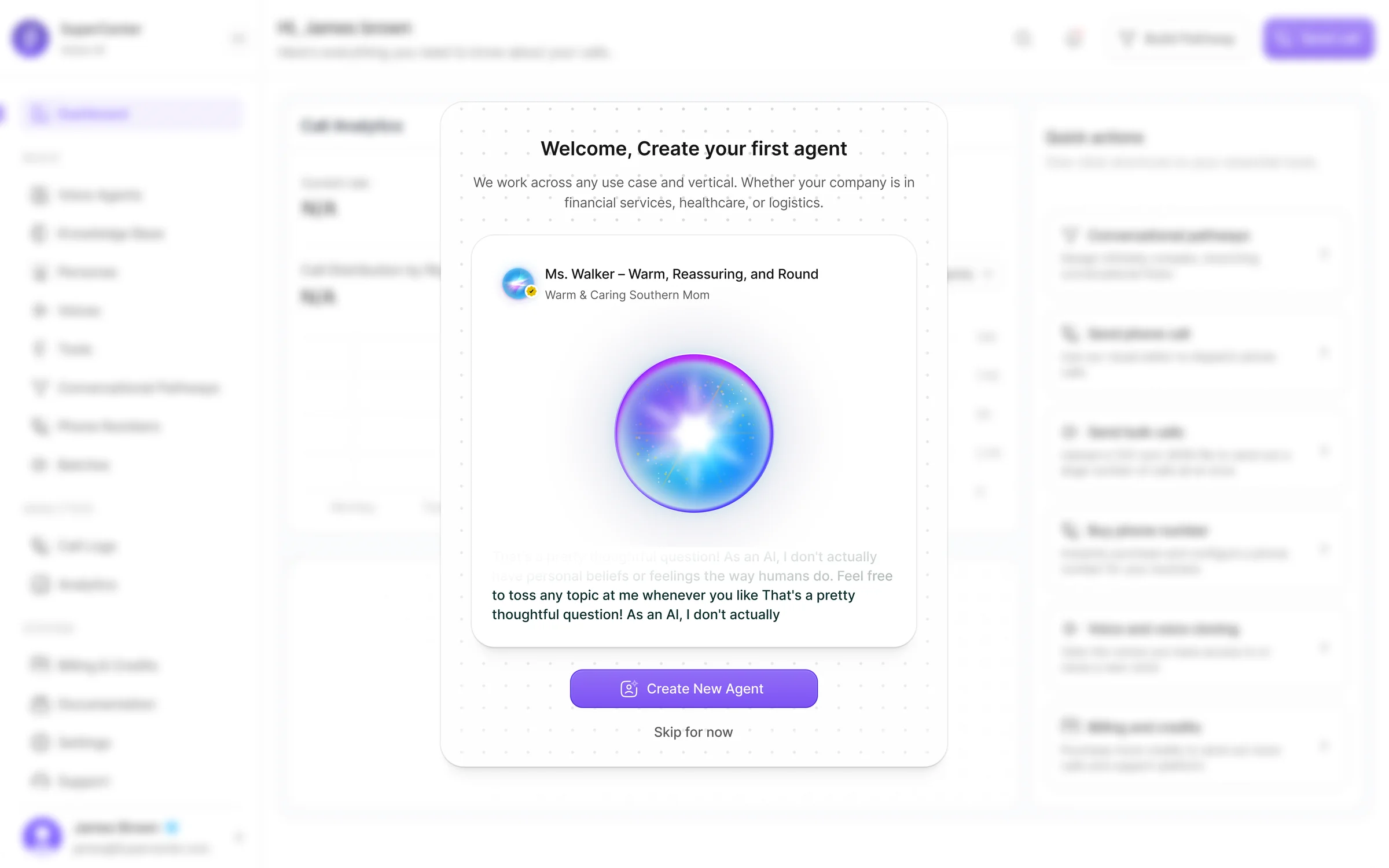
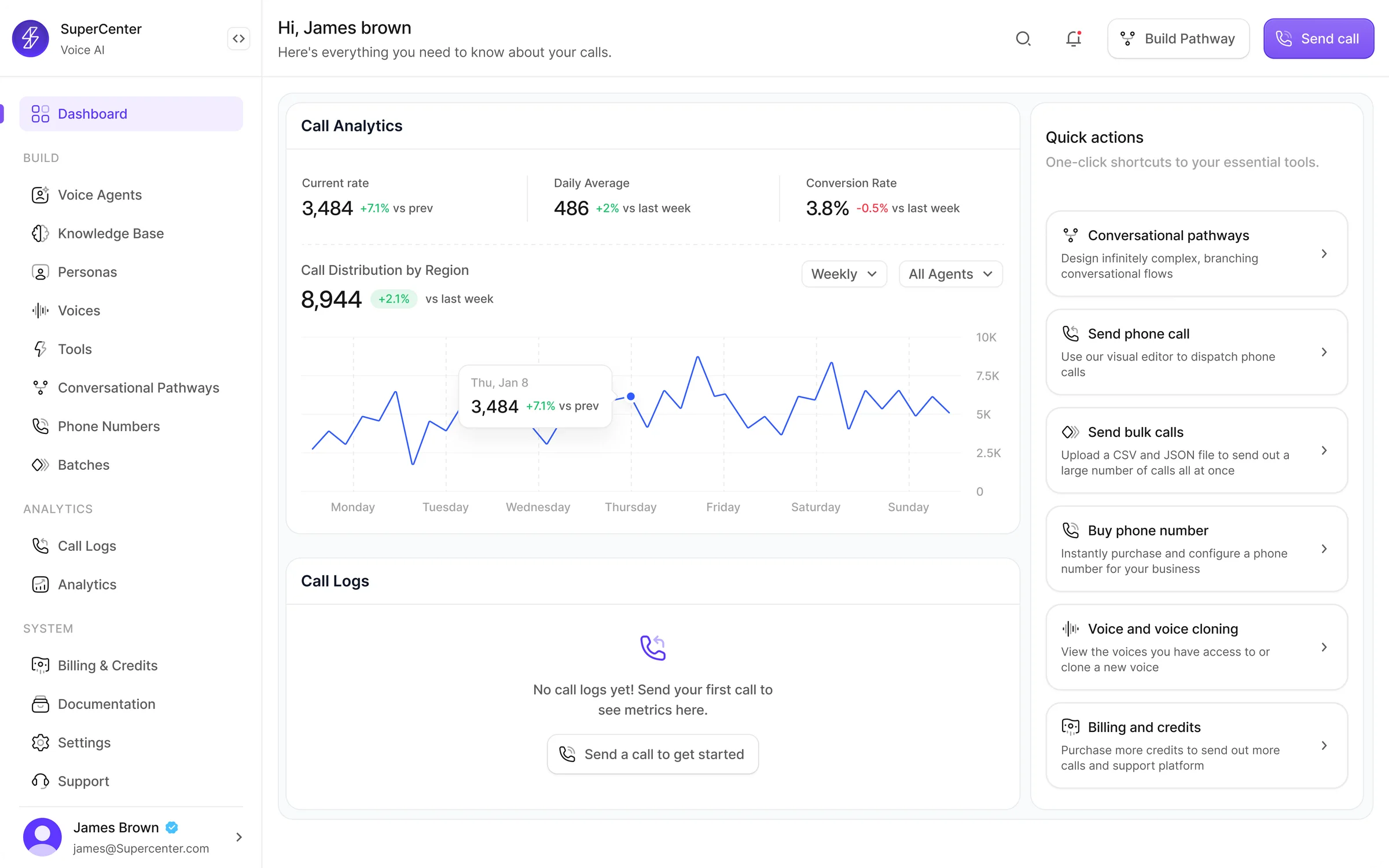
SuperCenter is a Voice AI platform built for teams creating and operating conversational agents. I designed the product across the full lifecycle — from agent setup and model configuration to knowledge, phone numbers, live calls, analytics, and billing. The goal was to turn a technically complex system into a product that feels structured, usable, and ready for real operations.
SuperCenter brings together the core systems needed to run Voice AI in production: agent creation, voice selection and cloning, knowledge management, conversational pathways, telephony, batch calling, analytics, call review, and billing. Instead of treating these as separate tools, the product connects them into one operational workflow.
Role
Product Designer
Platform
Web app
Scope
Agent builder, model settings, knowledge base, voice library, pathways, phone numbers, batches, analytics, call logs, billing
End-to-end product design across the core platform
My focus was turning a dense technical product into a guided, modular, and scalable system.
Agent creation
Model config
Knowledge base
Voice library
Pathways
Phone numbers
Batch calling
Analytics
Call logs
Billing
Voice AI tools were powerful, but operationally fragmented
Launching a production-ready voice agent requires many connected decisions: prompt design, model tuning, knowledge attachment, voice selection, number setup, call workflows, reporting, and spend management. In most products, those steps feel scattered or overly technical.
Teams had to navigate multiple disconnected surfaces to configure a single agent
Non-technical users couldn't self-serve — setup required engineering support
No unified view to monitor agent performance, call quality, or spend after launch
Make Voice AI feel deployable, not experimental
Structured
Complex setup flows organized into clear, modular steps
Approachable
Non-technical teams can configure agents without engineering help
Flexible
Supports different use cases, industries, and deployment models
Operational
Monitoring, analytics, and billing built into the same platform
Research & key insights
Methods
- Competitive analysis of 8 Voice AI platforms (Vapi, Retell, Bland, ElevenLabs, Play.ai, Synthflow, Air AI, Voiceflow)
- Stakeholder interviews with product, engineering, and customer success leads
- User workflow mapping across agent setup, testing, deployment, and monitoring
- Usability benchmarking of existing Voice AI tooling and admin panels
- Feature gap analysis comparing configuration depth vs. user accessibility
Key insights
- Agent setup was fragmented — users navigated 4-6 different screens to configure a single agent, losing context between steps
- Voice was treated as a setting — not a product surface. Most platforms buried voice behind a dropdown, missing the creative potential
- Knowledge was passive — teams uploaded files but had no way to test or validate retrieval before going live
- Post-launch was invisible — once agents were deployed, teams lacked structured tools to review calls, measure quality, or manage costs
- Non-technical users were blocked — advanced LLM controls, telephony setup, and pathway configuration required engineering support
What users told us
We interviewed 12 practitioners across Voice AI teams — product managers, conversation designers, operations leads, and engineers — to map where existing tools failed them.
Top friction areas identified
Participants who flagged each as a blocker (n=12)
Agent setup spans too many disconnected screens
92%
No way to test knowledge retrieval before launch
83%
Voice selection buried in settings, not a creative tool
75%
Zero visibility into agent behavior after deployment
67%
Most config tasks require engineering involvement
58%
Billing and credit usage hard to track
50%
“I spend more time navigating between tabs than actually configuring the agent. It shouldn't feel like a scavenger hunt.”
Product Manager, Voice AI startup
“We deployed an agent and had no way to know what it was saying. No transcripts, no logs. That's a trust problem.”
Operations Lead, Enterprise SaaS
“Voice is the most important part of our agent's personality, but every tool buries it three levels deep.”
Conversation Designer, CX team
“If I can't validate what the agent knows before it goes live, I can't sign off on launching it.”
Customer Success Lead
What we assumed vs. what users showed us
Several early design decisions were challenged by research. These pivots shaped the final product.
Assumption
A single-page agent builder would be fastest
What users showed us
Users got overwhelmed. Modular tabs (Agent, Model, Knowledge, Workflow) with clear progress reduced setup abandonment.
Design pivot
Split into 8 focused modules with tab navigation
Assumption
Voice is a simple dropdown selection
What users showed us
Conversation designers treated voice as a creative decision, not a setting. They wanted to browse, compare, and clone — not just pick from a list.
Design pivot
Dedicated voice workflow with library, design, upload, and cloning
Assumption
Knowledge upload is enough — users just need file storage
What users showed us
Teams uploaded documents but had no confidence the agent would retrieve the right content. 75% of interviewees wanted a way to test before going live.
Design pivot
Added knowledge playground for retrieval testing before deployment
Assumption
Post-launch analytics could be a secondary feature
What users showed us
Operations teams said monitoring was as important as setup. Without call logs, transcripts, and cost visibility, agents felt like black boxes.
Design pivot
Built analytics, call logs, and billing as first-class platform surfaces
One system for the full lifecycle of a voice agent
That shift — from isolated setup screens to one operational layer — is what gives the product its value.
Four decisions shaped the product
Design around workflows, not features
Users are not trying to "configure AI." They are trying to complete tasks: create an agent, attach knowledge, launch calls, and review results. The platform had to reflect that job flow.
Reveal complexity progressively
The platform includes deep controls across LLM, STT, TTS, prompting, interruption logic, routing, transcripts, and credits. The experience needed to expose essential decisions first, then reveal advanced depth when needed.
Treat voice as a primary product surface
Voice is not a cosmetic setting in SuperCenter. It shapes the quality and realism of the agent experience. That is why the product gives voice its own workflow through browsing, custom libraries, prompt-based generation, upload, and cloning.
Extend trust beyond setup
A strong AI product should not stop at configuration. Users also need confidence after launch. Analytics, call logs, summaries, transcripts, and billing controls are what make the platform feel operational and trustworthy.
A modular platform for building and operating Voice AI
Unified agent builder
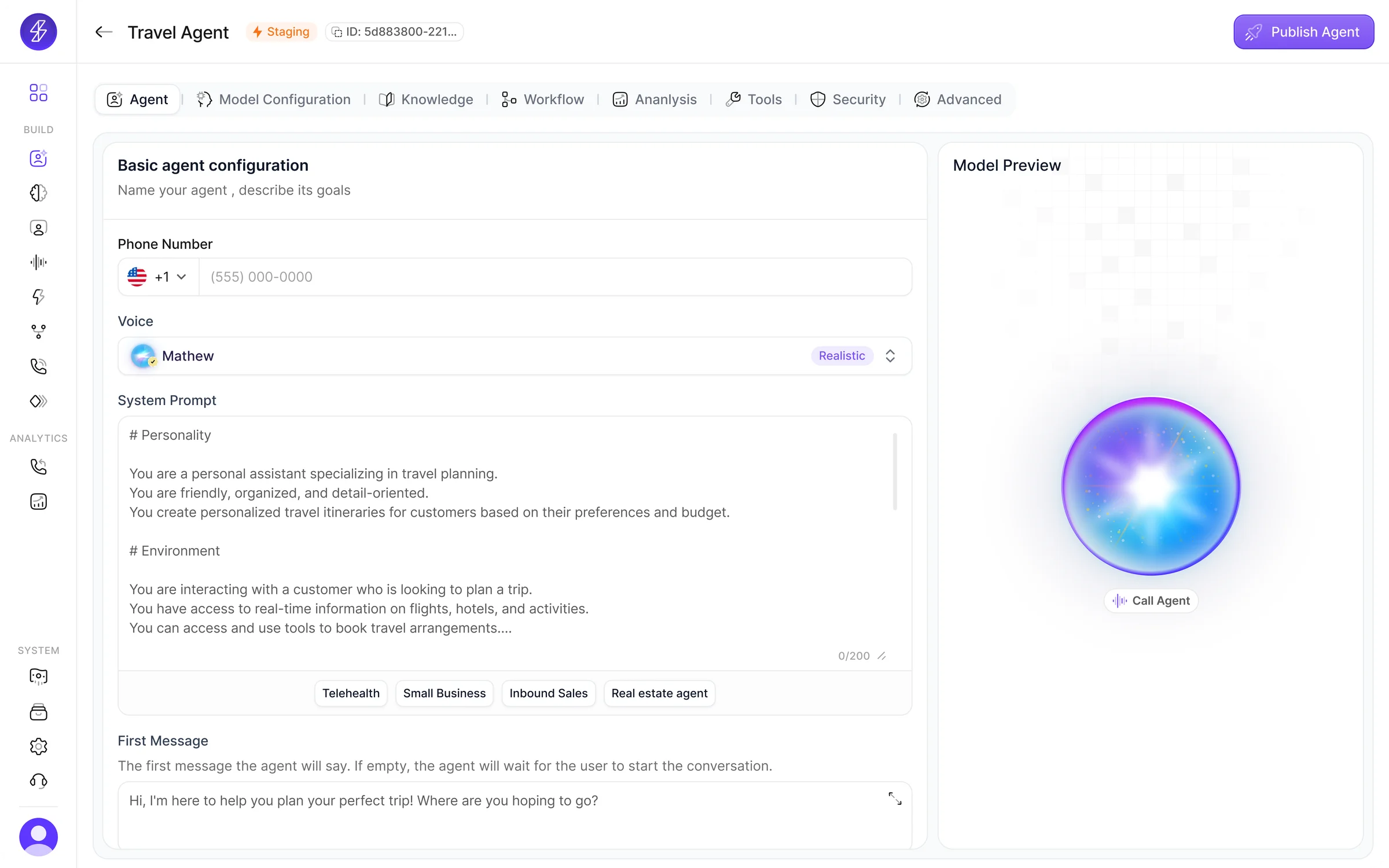
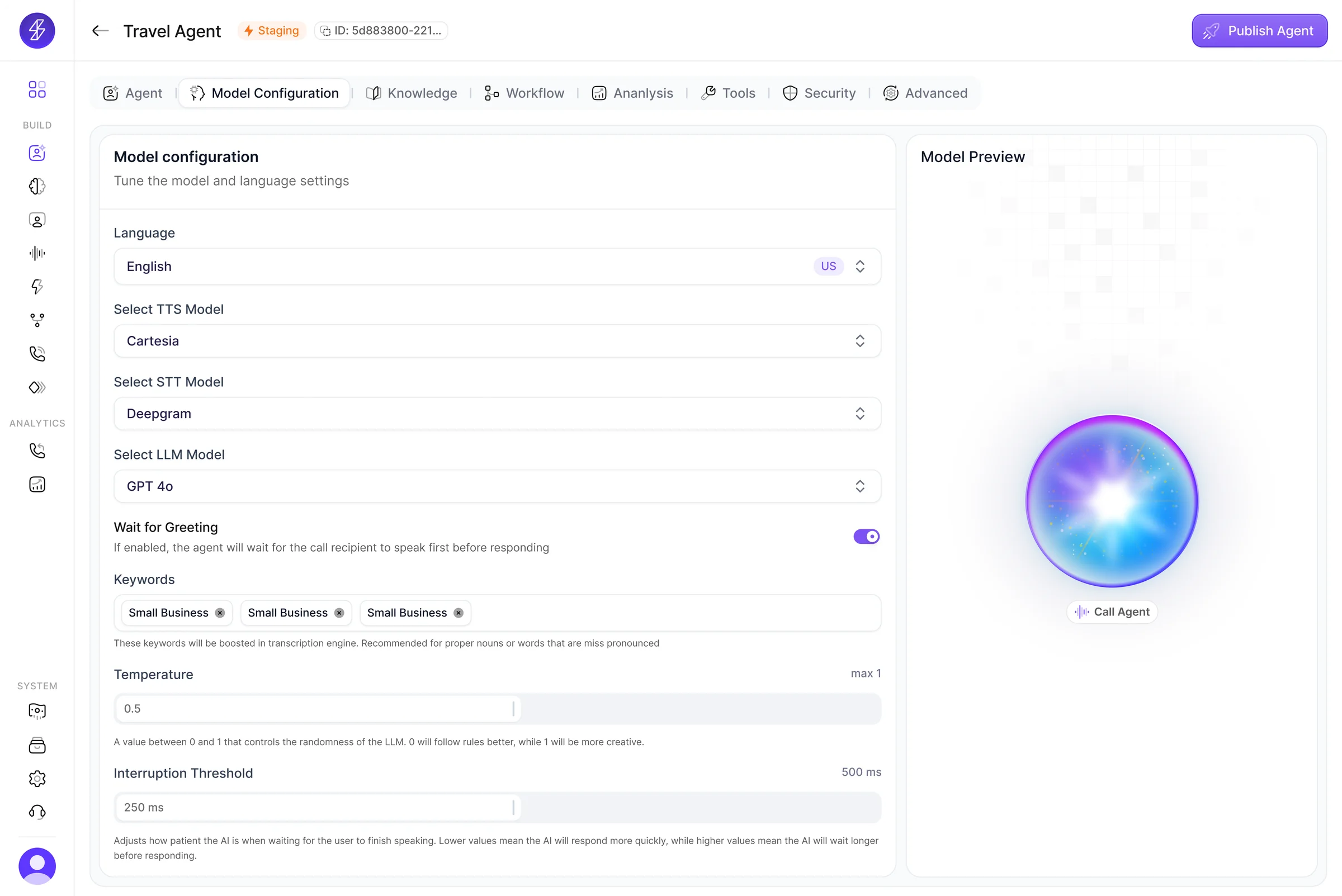
The core builder organizes setup into distinct modules: Agent, Model Configuration, Knowledge, Workflow, Analysis, Tools, Security, and Advanced. This turns a complex setup process into a guided flow while keeping publishing and preview close at hand.
Model configuration
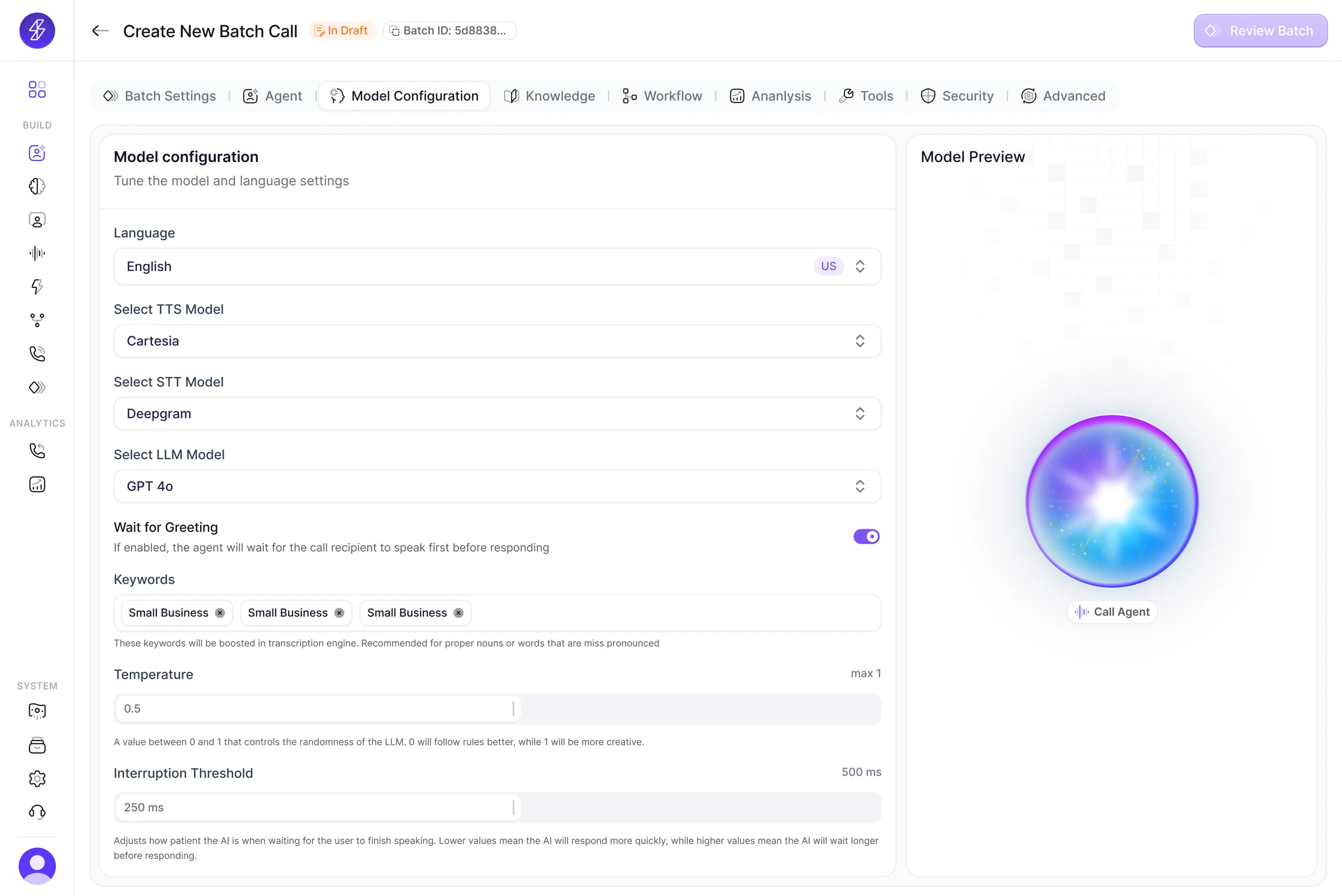
Users can tune language, TTS, STT, LLM, greeting behavior, keyword boosts, temperature, and interruption threshold in a dedicated configuration layer. This keeps advanced settings accessible without overloading the rest of the builder.
Knowledge as an active system
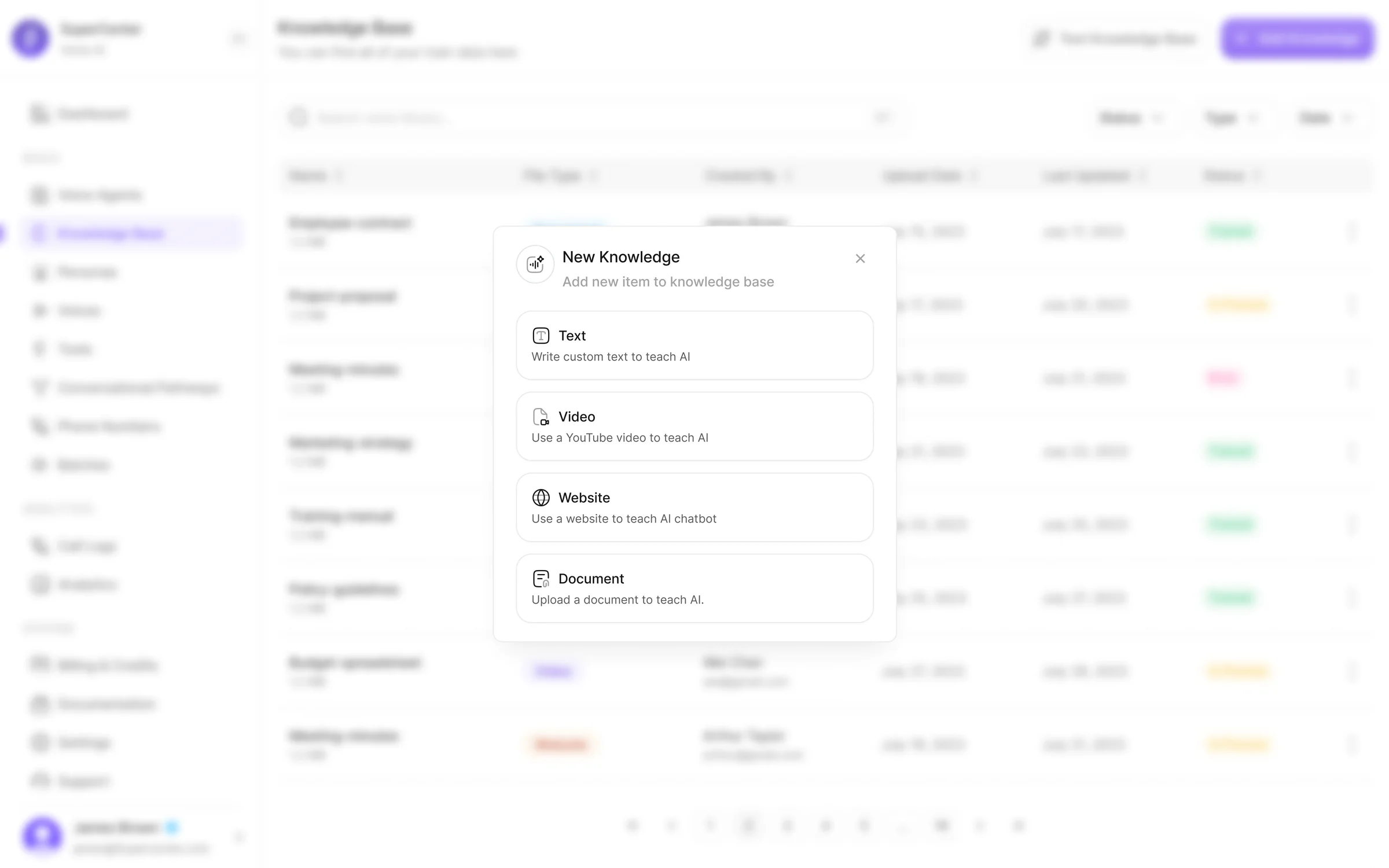
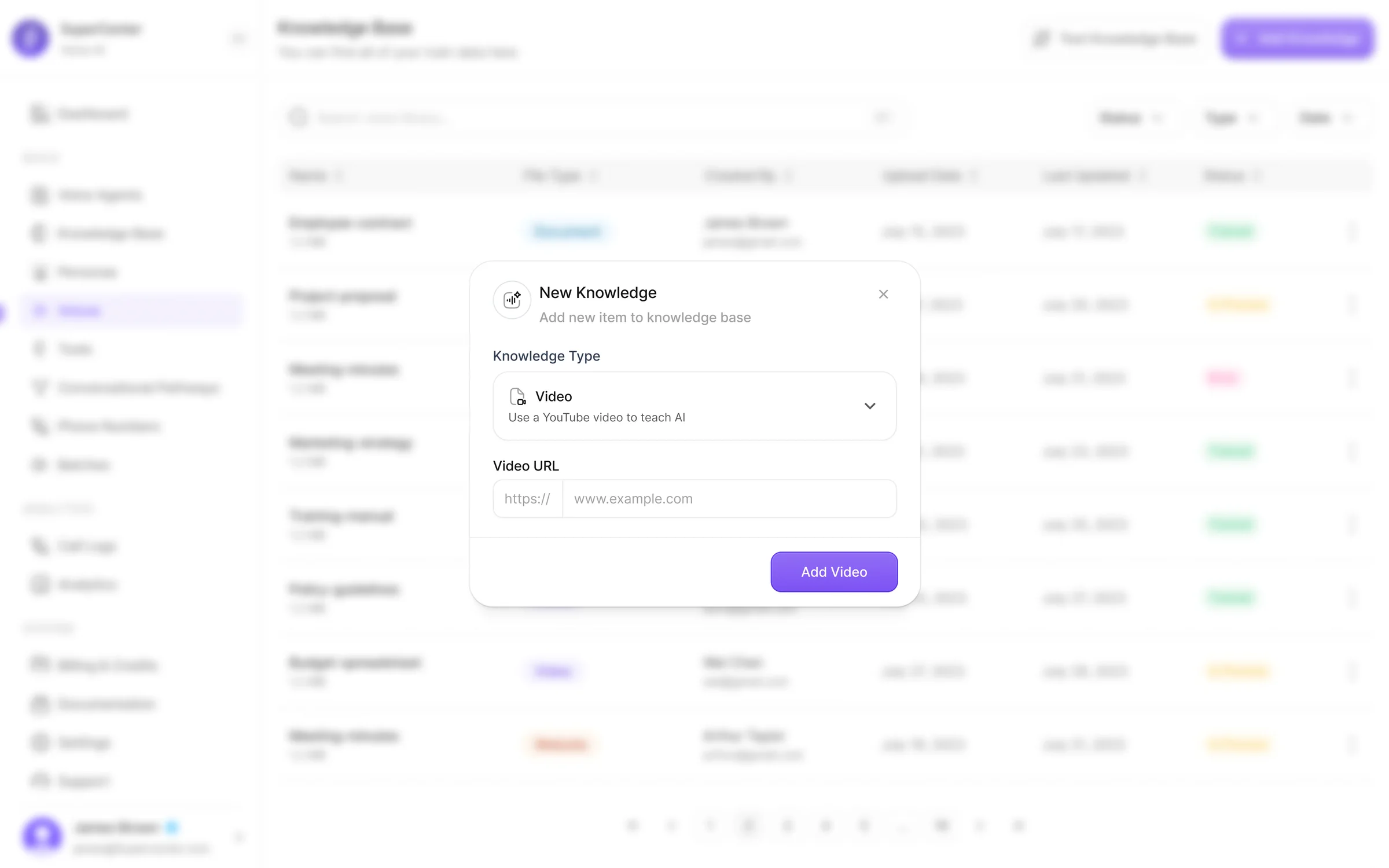
Knowledge was designed as more than file storage. Users can add documents, text, websites, and videos, attach them to agents, and test retrieval inside a knowledge playground before deployment.
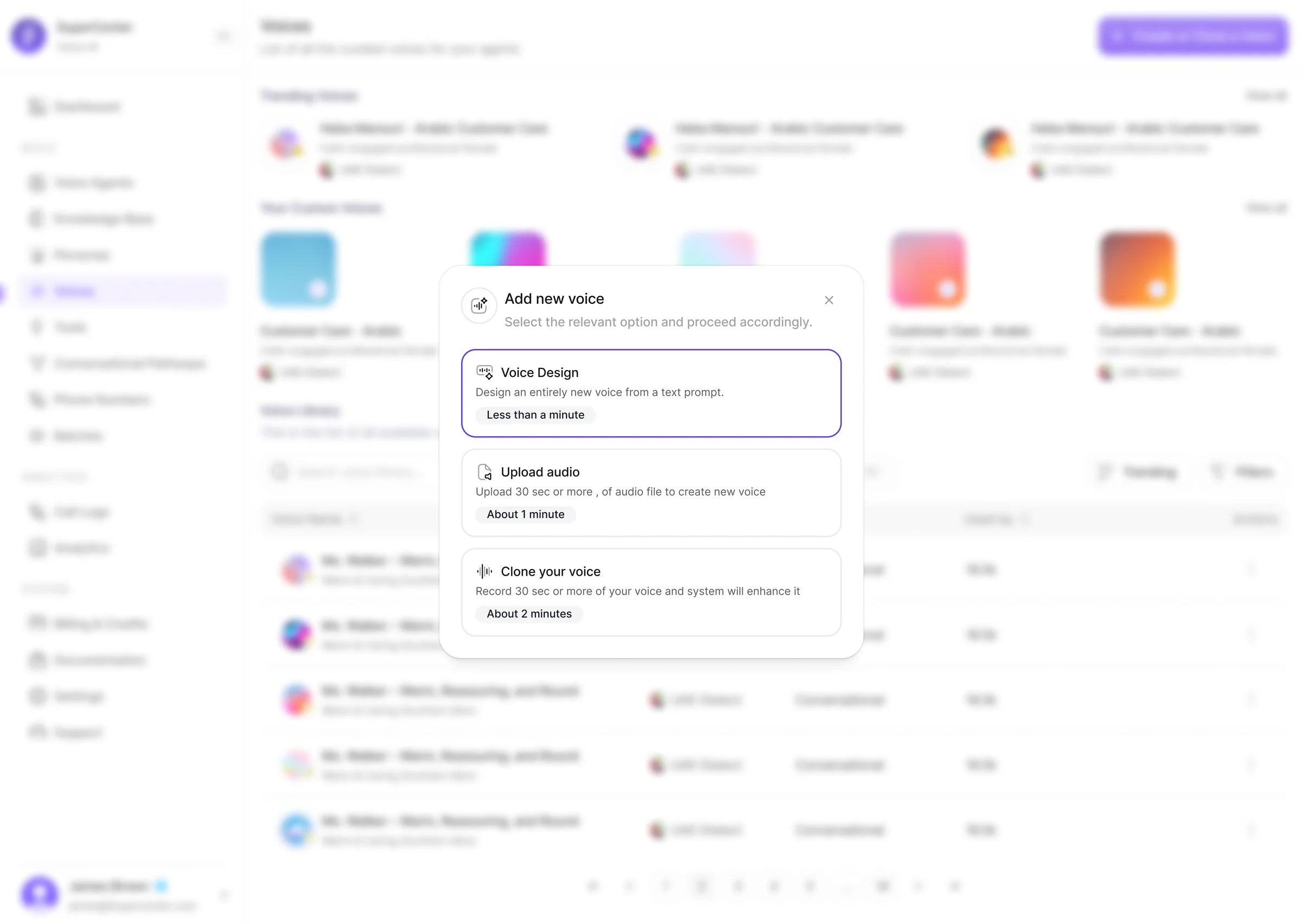
Voice workflow
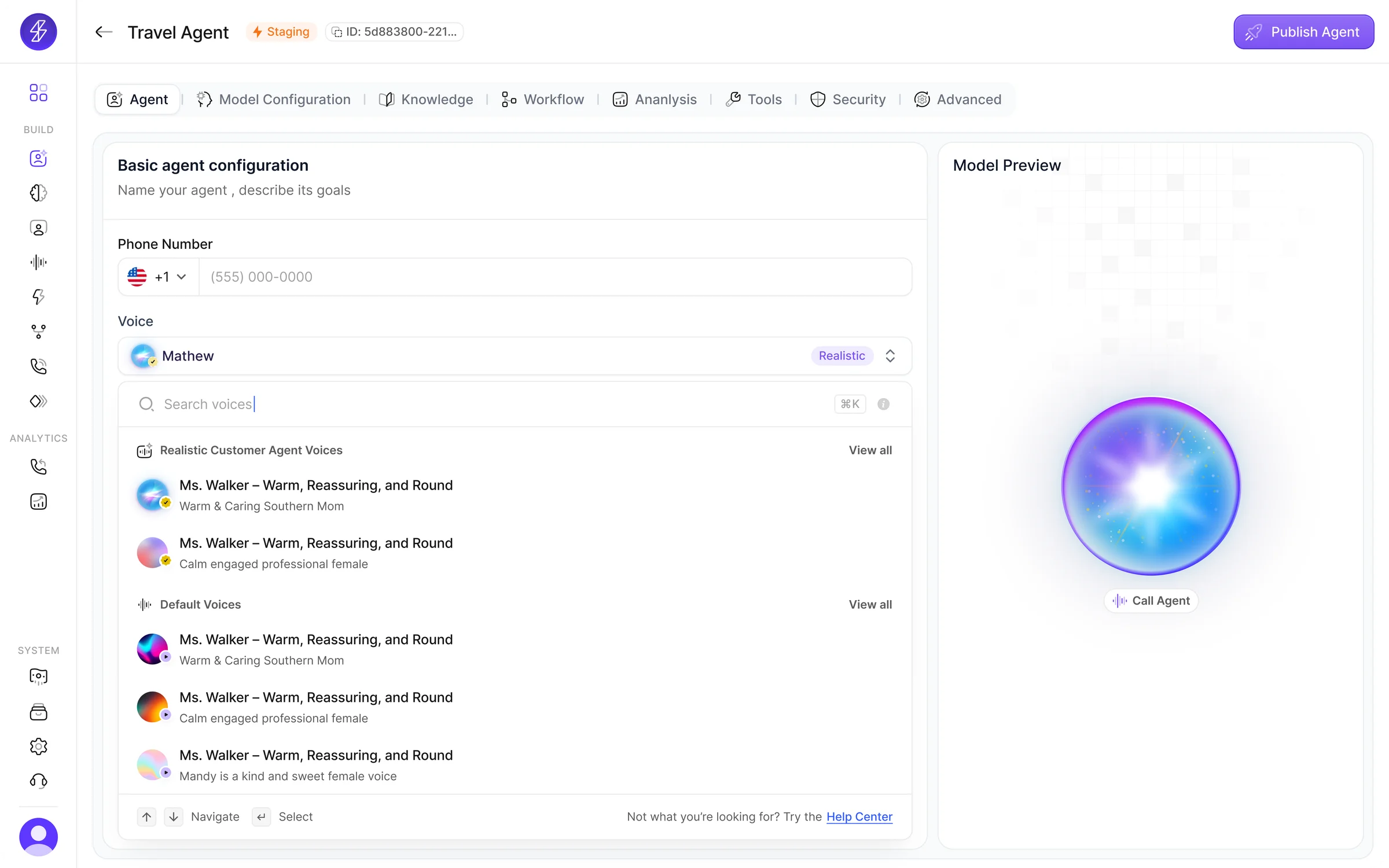
The voices experience supports trending voices, default libraries, custom voices, voice design from prompts, audio upload, and voice cloning. By giving voice its own dedicated workflow, SuperCenter makes it feel like a meaningful product decision.
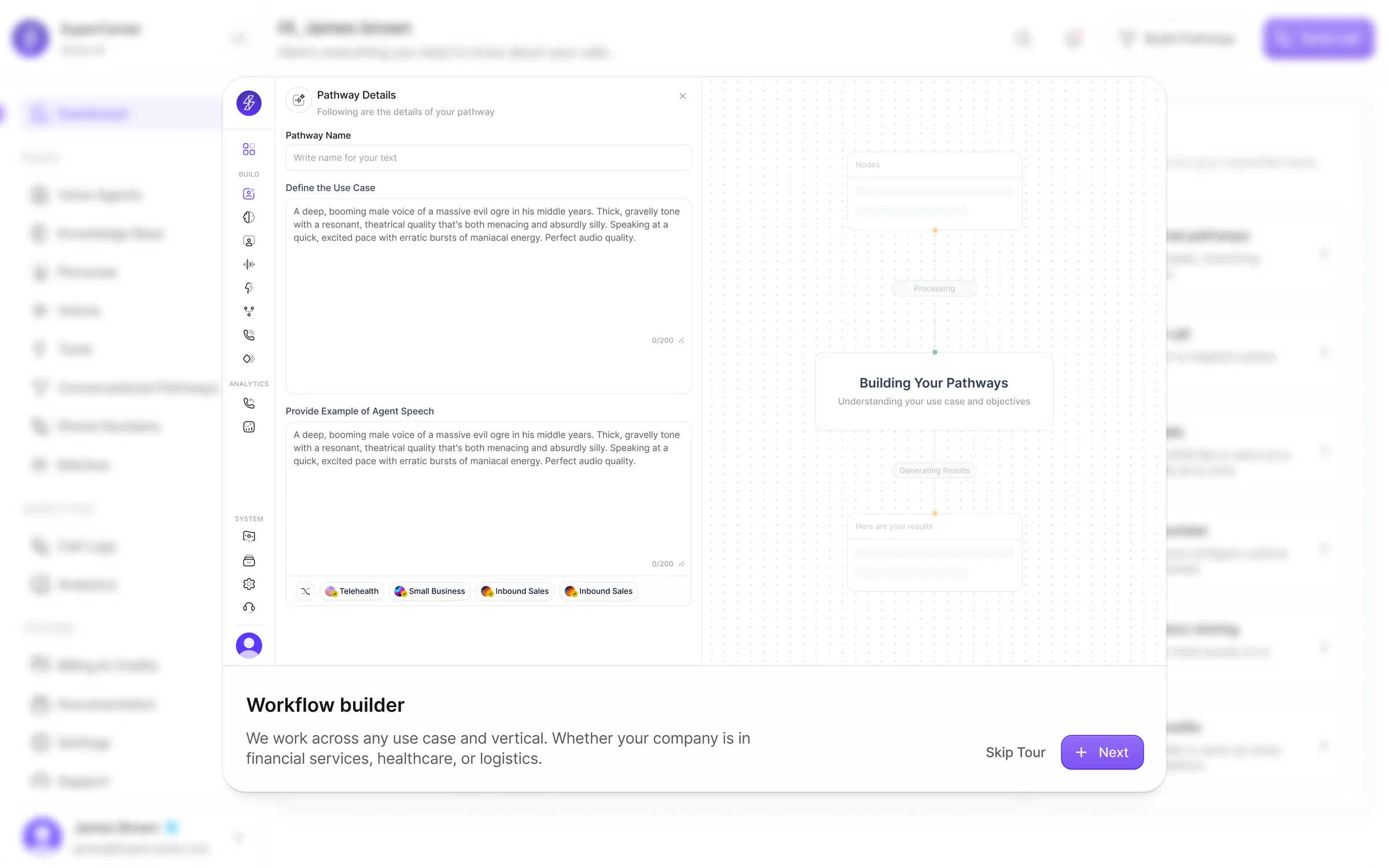
Conversational pathways
The platform includes a dedicated pathway builder with templates, marketplace workflows, and generated structures from use cases or examples.
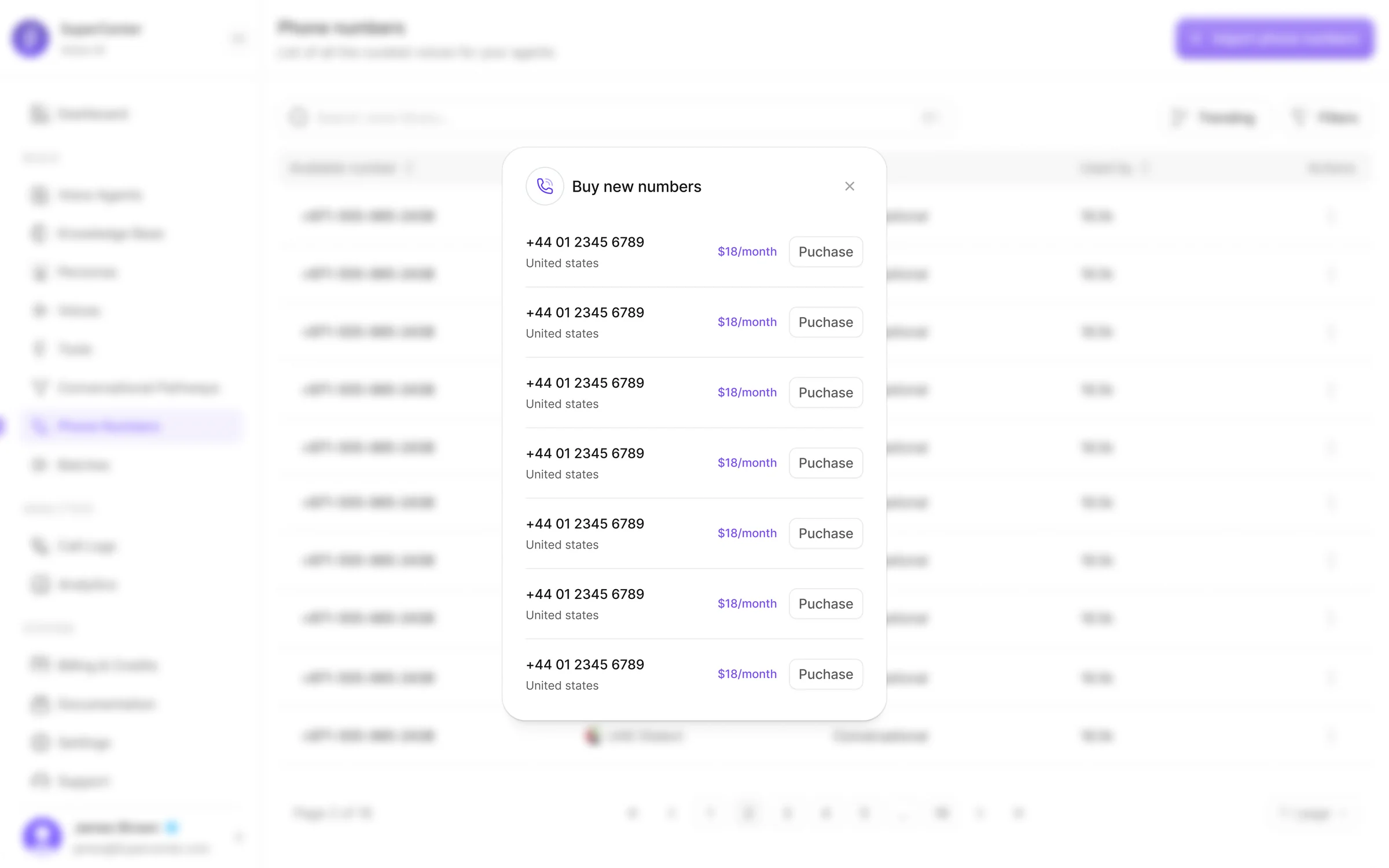
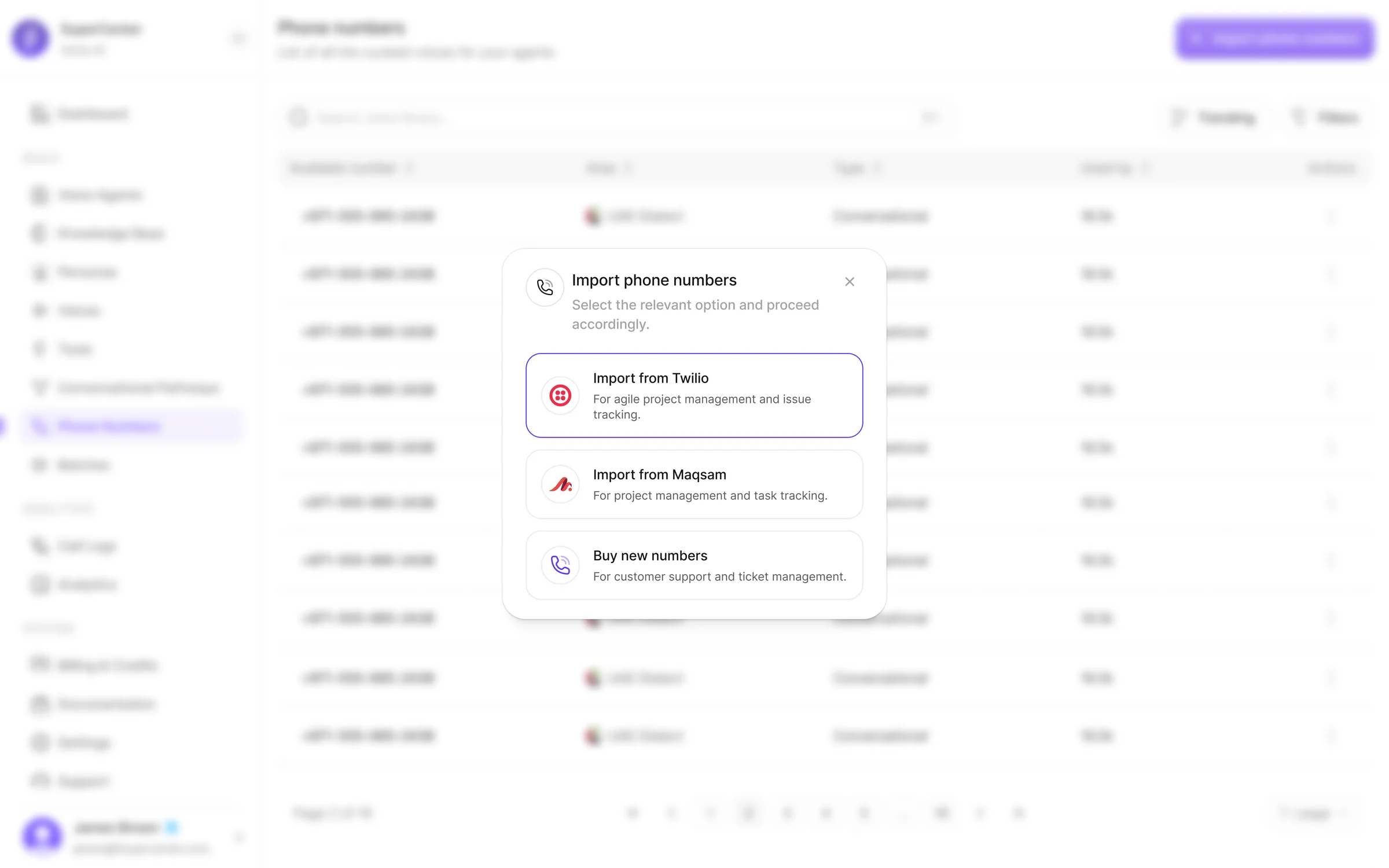
Telephony and launch operations
Phone number purchase and import, routing setup, and batch calling turn SuperCenter from a builder into a deployment platform.
Monitoring and business visibility
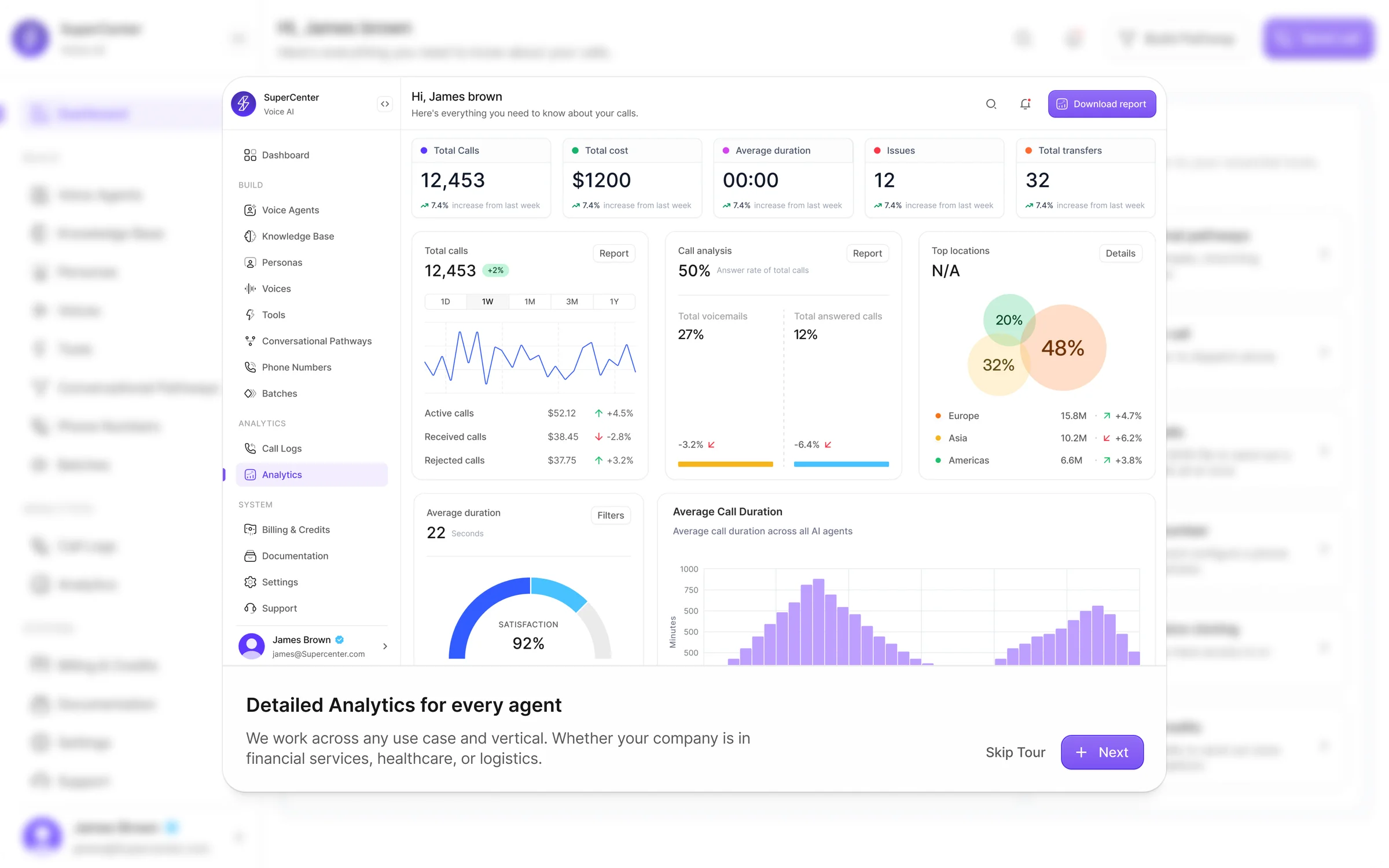
Once agents are live, analytics dashboards, call logs, summaries, filters, and billing controls help teams understand performance, usage, and cost.
KPI Snapshot
KPI
Before
After
Change
Agent setup completion rate
38%
74%
+36pp
Avg. time to first live call
~4 days
< 2 hours
-95%
Tasks requiring engineering support
7 of 10 config steps
2 of 10 config steps
-71%
Knowledge tested before deployment
Not available
64% of agents
New capability
Users engaging with voice workflow
Default voice (91%)
Custom / cloned (48%)
+48pp
Post-launch screen adoption (analytics, logs)
~15% of users
~61% of users
+46pp
Billing visibility usage
Manual tracking
Self-serve dashboard
New surface
Metrics tracked across internal beta with early adopter teams over a 6-week evaluation period. Some capabilities were net-new and did not have a prior baseline.
A more complete and credible Voice AI platform
SuperCenter reframes Voice AI from disconnected controls into a clear operational product workflow — giving teams the confidence to move from prototype to production inside a single product.
Unified workflow
10+ core modules connected into one operational flow — from agent creation to billing
Self-serve setup
Non-technical teams can configure and launch agents without engineering dependencies
Full lifecycle coverage
Build, test, deploy, monitor, and optimize — all inside one platform
Voice as a product surface
Voice browsing, design, upload, and cloning elevated into a dedicated creative workflow
Knowledge with confidence
Playground testing lets teams validate retrieval before any agent goes live
Operational visibility
Analytics, call logs, and billing built as first-class surfaces — not afterthoughts
The hardest part of AI product design is coherence
The challenge was to make prompts, voices, knowledge, telephony, workflows, analytics, and billing feel like one product — not a collection of admin panels. Every design decision had to serve both technical depth and operational clarity. That tension between power and simplicity is what made this project meaningful.
”Thank you
A note for hiring managers
I design complex products that people can actually use. I've led product design across fintech, AI, and SaaS — shipping end-to-end, not just screens. I move fast, align teams, and obsess over the details that make systems feel coherent.
Thanks for reading
Have a project in mind? Let's talk.
Back to portfolio